Can I Import MetaMask Wallet to Trust Wallet?
Exploring the Feasibility of Wallet Import
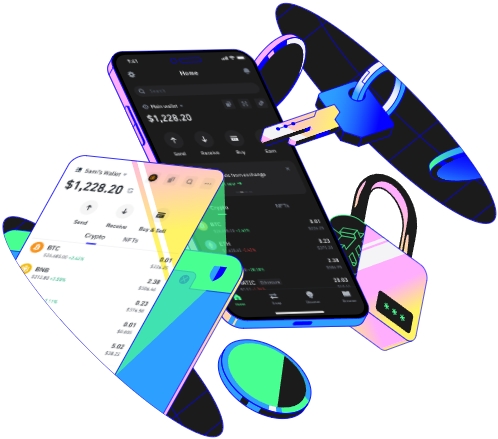
MetaMask and Trust Wallet are two well - known cryptocurrency wallets in the digital asset space. MetaMask is a browser - based wallet that has gained popularity for its seamless integration with Ethereum - based decentralized applications (dApps). Trust Wallet, on the other hand, is a mobile wallet that offers a user - friendly interface and support for a wide range of cryptocurrencies.
Many users may wonder if they can import their MetaMask wallet into Trust Wallet. The answer is yes, it is possible, but the process requires careful attention to ensure the security of your assets.
To start the import process, you first need to understand the key components of your MetaMask wallet. MetaMask stores your private keys, which are essentially the passwords that give you access to your funds. There are two main ways to import a MetaMask wallet into Trust Wallet: using the seed phrase or the private key.
The seed phrase is a series of 12 or 24 words that serve as a backup for your wallet. It is crucial to keep this seed phrase in a safe place as anyone with access to it can control your funds. To import using the seed phrase, open your Trust Wallet app. Navigate to the settings or wallet management section. Look for the option to import a wallet. Select the option to import using a seed phrase.
Once you have selected the seed phrase import option, you will be prompted to enter your MetaMask seed phrase. Carefully type in each word, making sure there are no typos. Trust Wallet will then verify the seed phrase. If the verification is successful, your MetaMask wallet will be imported into Trust Wallet, and you will be able to access your funds just as you would in MetaMask.
Another method is to use the private key. The private key is a long string of alphanumeric characters that is unique to your wallet. To obtain your private key from MetaMask, you need to go to the account details page in MetaMask. Click on the three dots next to your account name and select "Export Private Key". MetaMask will prompt you to enter your password for security reasons. After entering the password, it will display your private key.
However, it is extremely important to be cautious when dealing with private keys. Never share your private key with anyone, and make sure you are in a secure environment when exporting it. In Trust Wallet, when you want to import using the private key, open the app and go to the wallet import section. Select the option to import using a private key. Paste the private key you exported from MetaMask into the appropriate field in Trust Wallet. After verifying the key, Trust Wallet will import the wallet, and you can start managing your assets.
There are several reasons why a user might want to import their MetaMask wallet into Trust Wallet. One reason is the convenience of mobile access. Trust Wallet is a mobile - first wallet, allowing users to manage their cryptocurrencies on the go. If you are frequently using your phone to interact with dApps or make transactions, having your wallet on a mobile device can be more convenient than using a browser - based wallet like MetaMask.
Another reason could be the wider range of supported cryptocurrencies in Trust Wallet. While MetaMask is mainly focused on Ethereum - based tokens, Trust Wallet supports a much larger variety of digital assets, including Bitcoin, Binance Coin, and many others. By importing your MetaMask wallet into Trust Wallet, you can easily manage all your different cryptocurrencies in one place.
However, there are also some risks associated with importing a wallet. One of the main risks is the security of your seed phrase or private key. If someone gains access to your seed phrase or private key, they can steal all your funds. Therefore, always ensure that you are in a secure and private environment when performing the import process. Avoid using public Wi - Fi or untrusted devices when entering your seed phrase or private key.
It is also important to note that the import process might have some limitations. For example, some advanced features or custom settings in MetaMask might not transfer over to Trust Wallet. Additionally, the user experience in Trust Wallet might be different from MetaMask, so you may need some time to get used to the new interface.
Before importing your MetaMask wallet into Trust Wallet, it is recommended that you test the process with a small amount of funds first. This way, if there are any issues or unexpected problems during the import, you won't risk losing a large sum of money.
In conclusion, importing a MetaMask wallet into Trust Wallet is a viable option for those who want the convenience of mobile access and a wider range of supported cryptocurrencies. However, it is essential to take all the necessary security precautions to protect your assets and be aware of the potential limitations of the import process.
