Beginner\'s Guide to Token Swaps Using Trust Wallet
Step-by-Step Guide for Token Swaps
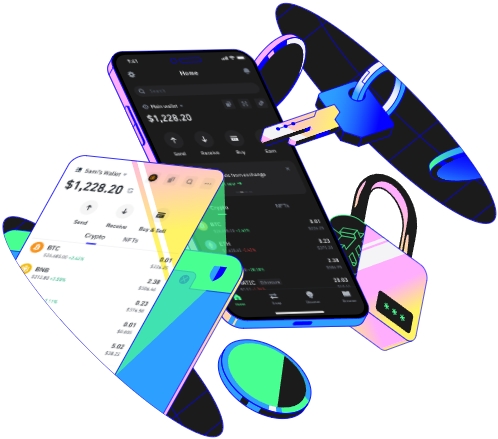
Trust Wallet is a well - known and user - friendly cryptocurrency wallet that allows users to swap tokens conveniently. To start with, you need to ensure that you have installed the Trust Wallet application on your mobile device. It is available for both iOS and Android platforms. Once installed, open the app and set up your wallet according to the prompts. This may involve creating a new wallet or importing an existing one using a seed phrase. Setting up your wallet correctly is crucial as it will be the foundation for all your token - swapping activities.
After setting up your wallet, you need to add the tokens you want to swap. Navigate to the "Assets" section in the Trust Wallet app. Here, you can search for the specific tokens you wish to add. You can add popular tokens like Bitcoin, Ethereum, and many ERC - 20 tokens. Adding tokens is simple; just click on the "Add Token" button, enter the token details such as the contract address (for ERC - 20 tokens), and the app will automatically detect and add the token to your wallet. Having the right tokens in your wallet is essential before proceeding with a swap.
Now, let's move on to the actual token - swapping process. In the Trust Wallet app, find the "Swap" option. Usually, it can be located at the bottom of the main screen. When you click on the "Swap" option, you will be presented with two fields: one for the token you want to swap from and another for the token you want to swap to. Select the appropriate tokens from your wallet. You can use the search function to quickly find the tokens if you have a large number of them in your wallet. After selecting the tokens, enter the amount of the token you want to swap. The app will then calculate how much of the target token you will receive based on the current market rates.
Before confirming the swap, it is important to review several aspects. Check the exchange rate to make sure it is favorable. Also, take a look at the transaction fees. These fees can vary depending on network congestion and the type of tokens being swapped. High fees can eat into your profits, so it's a good idea to wait for periods of lower network activity if possible. You should also double - check the token addresses and amounts to avoid any mistakes. Once you are satisfied with all the details, click on the "Confirm Swap" button.
The next step involves authorizing the transaction. Depending on your wallet settings, this may require entering your wallet password or using biometric authentication such as fingerprint or face recognition. After authorization, Trust Wallet will send the transaction to the blockchain network. The time it takes for the swap to be completed can vary. For some tokens on less congested networks, it may only take a few minutes, while for others, especially during peak network usage times, it could take longer. You can track the progress of your transaction in the app. Once the swap is completed, you will see the new tokens in your wallet balance.
Finally, it's important to keep in mind some security tips when using Trust Wallet for token swaps. Always make sure you are using the official Trust Wallet app from trusted app stores. Avoid clicking on suspicious links or sharing your wallet details with anyone. Regularly update your app to the latest version to benefit from security patches and new features. By following these steps and tips, you can safely and effectively use Trust Wallet for token swaps as a beginner.
