How to Connect Trust Wallet to Decentralized Applications (DApps)
Comprehensive Guide for Connecting Trust Wallet to DApps
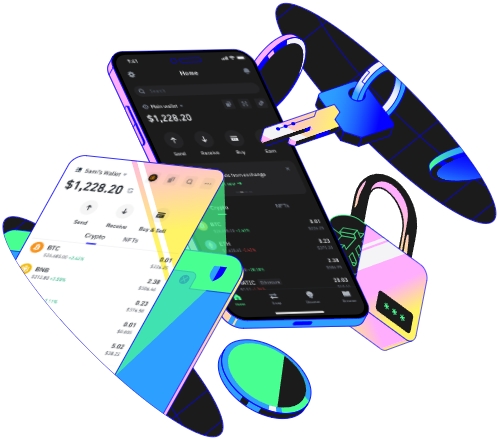
Trust Wallet is a popular cryptocurrency wallet that offers seamless integration with decentralized applications (DApps). Connecting your Trust Wallet to DApps can open up a world of opportunities in the decentralized finance (DeFi) space, including trading, lending, and gaming. Here's a detailed guide on how you can connect Trust Wallet to DApps.
First, ensure your Trust Wallet is set up correctly. Open the app on your mobile device. If you are a new user, you need to create a new wallet or import an existing one. When creating a new wallet, follow the prompts to generate a recovery phrase. This phrase is crucial as it allows you to restore your wallet if you lose access to your device. Once your wallet is set up, you can start exploring DApps. It's important to note that Trust Wallet supports a wide range of blockchains, such as Ethereum, Binance Smart Chain, and Polygon. Make sure you have some tokens on the relevant blockchain in your wallet as most DApps require tokens for transactions.
To find DApps to connect with, there are several ways. You can use the built - in DApp browser within the Trust Wallet app. Open the app and look for the DApp browser option, usually represented by a globe icon. In this browser, you can browse through different categories of DApps, such as DeFi, NFT marketplaces, and gaming DApps. Another way is to search for specific DApps online and then open them in the Trust Wallet browser using the app's in - built web browser functionality. Before connecting to any DApp, do some research on its reputation and security. Check online reviews, community discussions, and the DApp's official documentation to ensure it is trustworthy.
Once you've found a DApp you want to connect with, navigate back to the DApp in the Trust Wallet browser. Look for an option to connect your wallet. This is often labeled as "Connect Wallet" or something similar. Click on this option, and a pop - up window will appear asking you to select your wallet. In this case, choose Trust Wallet. The DApp will then request permission from your wallet for certain actions like viewing your account balance or making transactions. Carefully review these permissions. Only grant the necessary permissions; avoid giving excessive access. For example, if a simple game DApp only needs to check your account balance to start a game, don't give it permission for large - scale token transfers.
After granting permissions, your Trust Wallet will be successfully connected to the DApp. You can now start using the features of the DApp. For instance, if it's a DeFi trading DApp, you can swap tokens, provide liquidity, or stake your tokens. If it's an NFT marketplace, you can browse and purchase digital collectibles. Keep in mind that when using DApps, you are responsible for your own security. Always double - check transaction details before confirming them. Also, be aware of the gas fees associated with transactions on the blockchain network. High gas fees can eat into your profits, especially in a volatile market. By following these steps, you can safely and effectively connect your Trust Wallet to various DApps and enjoy the benefits of the decentralized ecosystem.
