How to Use Trust Wallet\'s Built-In DApp Browser
A Step - by - Step Approach to DApp Browsing in Trust Wallet
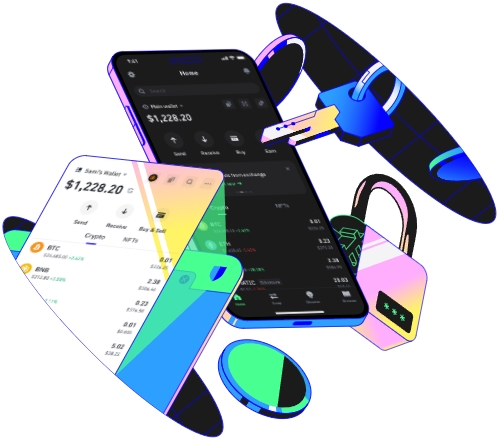
Trust Wallet is a well - known cryptocurrency wallet that comes with a built - in DApp (decentralized application) browser. This browser allows users to access a wide range of decentralized applications directly from the wallet. To start using the DApp browser, first, ensure that you have downloaded and installed the Trust Wallet app on your mobile device. It is available for both Android and iOS platforms. Once installed, open the app and set up your wallet following the on - screen instructions. This may involve creating a new wallet or importing an existing one using a seed phrase. After the wallet is set up, you'll be able to access the DApp browser.
Upon opening the Trust Wallet app, look for the icon that represents the DApp browser. Usually, it can be found at the bottom of the app interface. Clicking on this icon will open the DApp browser window. The browser has a user - friendly interface. At the top, there is an address bar where you can enter the URL of the DApp you want to visit. Similar to a regular web browser, you can also use the back and forward arrows to navigate between different pages or DApps you've previously accessed. Additionally, there are options for refreshing the page if you need to reload the DApp.
When you enter a URL in the address bar, the browser will start loading the DApp. Some DApps may require you to connect your wallet to them. This is a crucial step as it allows the DApp to interact with your wallet's funds and data in a secure way. To connect your wallet, look for a "Connect Wallet" or similar button within the DApp interface. Click on it, and then select Trust Wallet as your wallet provider. You may need to authorize the connection using your wallet's password or biometric authentication (such as fingerprint or face ID). Once connected, you can start using the DApp's features.
Trust Wallet's DApp browser supports a variety of different types of DApps, including decentralized exchanges (DEXs), gaming DApps, and non - fungible token (NFT) marketplaces. For example, if you want to trade cryptocurrencies on a DEX, you can search for well - known ones like Uniswap or PancakeSwap in the DApp browser. After connecting your wallet, you can deposit your tokens, select the trading pairs you want, and execute trades. In the case of gaming DApps, they often allow players to earn cryptocurrencies or NFTs while playing. You can explore different game options, create an in - game account if required, and start playing.
Another important aspect of using the built - in DApp browser is security. Since you are interacting with decentralized applications, it's essential to be cautious about which DApps you use. Only visit DApps from trusted sources. You can check for reviews and ratings of DApps online. Also, be aware of phishing attempts. Some malicious DApps may try to steal your wallet information. Always double - check the URL and make sure it's the official one of the DApp you want to use. Trust Wallet also provides some security features like encryption and secure storage of your wallet data.
To manage multiple connected wallets or accounts within the DApp browser, you can go back to your wallet's main interface. Here, you can switch between different wallets or view all the connected accounts associated with various DApps. If you want to disconnect from a particular DApp, look for the option within that specific application or in your wallet settings related to connected DApps. This gives you more control over which DApps have access to your funds and data.
In conclusion, Trust Wallet's built - in DApp browser offers a convenient and secure way to access a wide range of decentralized applications. By following these steps carefully, you can make the most out of this feature and explore all the opportunities that decentralized applications have to offer in the cryptocurrency space.
